To create a backup:
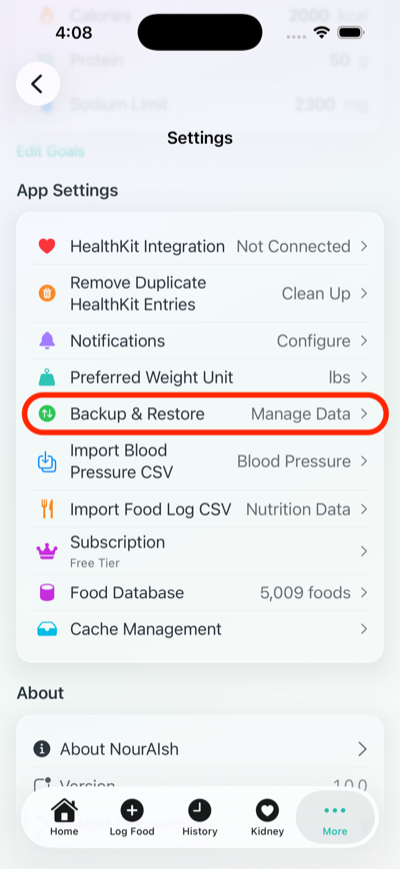
Your backup will be saved as a .nouraishpack file containing all your nutrition entries, weight records, blood pressure data, and settings.
To restore your data:
.nouraishpack file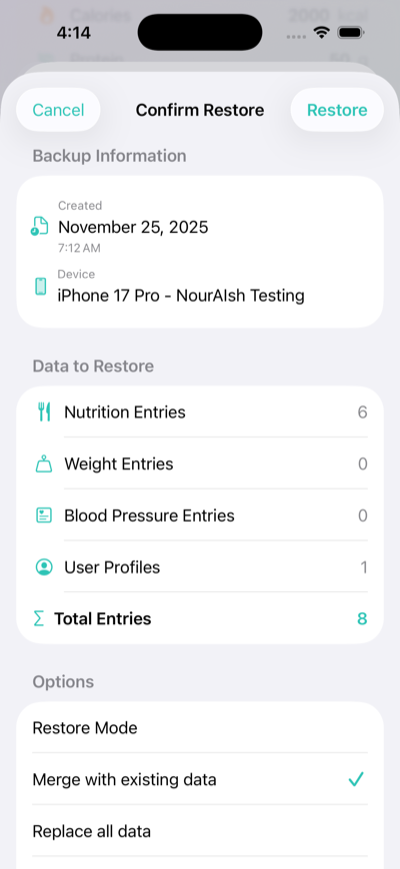
When you create a backup, you choose where to save it. Common locations include:
Backup files are named NourAIsh-[date]-[id].nouraishpack for easy identification.
Yes! NourAIsh can remind you to backup your data:
You can also see when your last backup was created in this section.
A NourAIsh backup includes:
The backup file shows you exactly how many entries of each type are included before you restore.
To enable meal reminders:
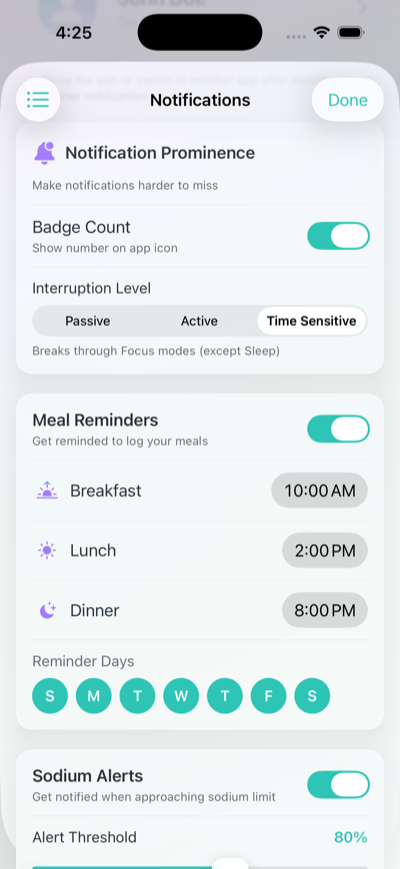
Yes! Below the meal times, you'll see day buttons (S M T W T F S). Tap each day to toggle reminders on or off for that day. Selected days appear highlighted.
This is useful if you have a different routine on weekends or certain days.
If you're not receiving notifications:
NourAIsh offers three interruption levels:
Choose "Time Sensitive" if you tend to miss notifications due to Focus modes.
Sodium Alerts notify you when you're approaching your daily sodium limit. You can:
This is especially helpful for people managing kidney health or blood pressure who need to monitor sodium intake.
NourAIsh offers multiple ways to log what you eat:
Chat with NourAIsh is the easiest way to log meals using natural language:
You can also ask nutrition questions, get meal recommendations, and NourAIsh AI recognizes your saved foods and recipes.
Scanning a Barcode:
Scanning a Nutrition Label:
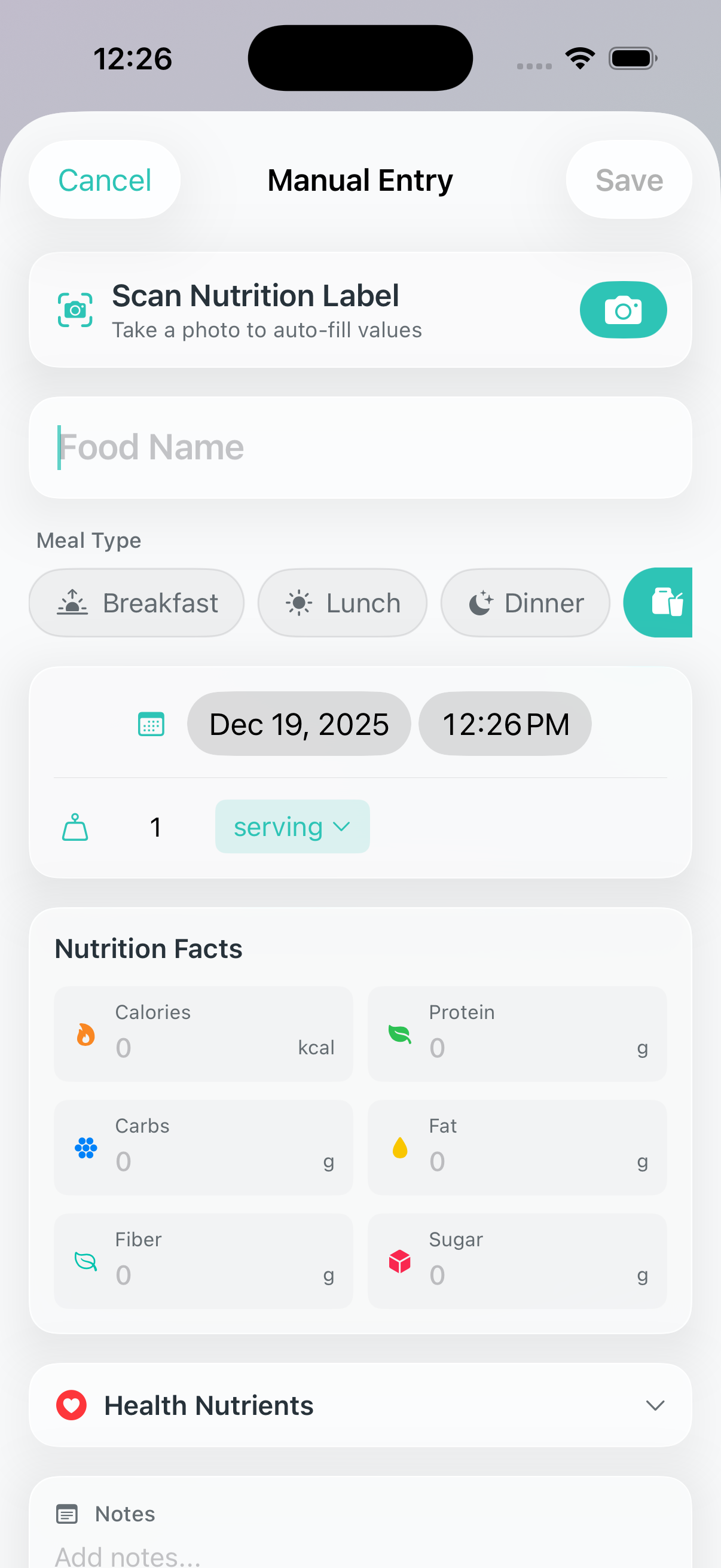
Saved Foods shows items you've saved before, making it quick to re-log frequent meals:
Yes! To edit or delete an entry:
NourAIsh supports four meal types:
Selecting a meal type helps organize your daily intake and provides better insights in your history.
NourAIsh AI is an optional feature that enables powerful AI-powered capabilities:
NourAIsh AI requires an internet connection and is available with a NourAIsh subscription.
NourAIsh AI is disabled by default to protect your privacy. You can enable it:
During Onboarding:
In Settings:
You can change this setting at any time.
All core NourAIsh features work without AI:
When you use NourAIsh AI features, the following data may be sent to process your request:
This data is processed to provide nutrition information and is not stored by us. Your food logs, health data, and personal information remain on your device.
NourAIsh widgets let you track your nutrition progress at a glance without opening the app. You can add widgets to your:
Widgets are free and update automatically as you log food throughout the day.
To add a widget to your Home Screen:
For Lock Screen widgets, go to Settings > Wallpaper > Customize and add widgets to your lock screen.
NourAIsh offers several widget options:
Yes! For the small (single nutrient) widget:
The medium widget automatically shows nutrients based on your health profile (general wellness, kidney health, or heart health).
Widget colors indicate your progress:
The color logic adapts to your health profile. For example, protein shows as a limit (orange) for users with kidney disease.
Widgets update:
If your widget seems stuck, open NourAIsh and it will refresh immediately.
The Healthcare Provider Portal lets you share your last 30 days of health data with your doctor, dietitian, or other healthcare provider via a temporary web link.
Your provider can view your data in their browser without installing anything. The link automatically expires after your chosen time period.
This feature is free for all users.
The portal includes your last 30 days of:
No personal identifiers (name, email, etc.) are included - only a random 8-digit verification code.
To share your data with a healthcare provider:
Your provider opens the link in any web browser to view your data.
When you create a portal link, a random 8-digit verification code is generated (e.g., "04829163").
This code appears on both your phone and the web portal. You can share it verbally with your provider to confirm you're both looking at the same data.
The verification code is the only identifier on the portal - your name and personal information are never included.
Yes! To revoke access immediately:
The data is immediately deleted and the link will no longer work.
Yes, the Healthcare Provider Portal is designed with privacy in mind:
To protect your privacy, NourAIsh limits you to one active portal link at a time. This prevents accidentally having multiple copies of your data floating around.
If you need to share with a different provider, you can either:
NourAIsh can show you current food recalls to help you stay informed about food safety. The Food Recalls feature displays:
Recalls are available from United States (FDA), Canada (CFIA), and United Kingdom (FSA).
To view current food recalls:
Recalls are fetched from official government databases and show the most recent announcements.
Yes! You can select which country's food recalls you want to receive:
The recalls displayed and notifications will be based on your selected country.
Yes! You can enable food recall notifications:
When new recalls are posted for your selected country, you'll receive a notification.
Food recall data comes directly from official government sources:
NourAIsh fetches this data on-demand when you view the Food Recalls screen. No personal data is sent to access recall information.
To create a new recipe:
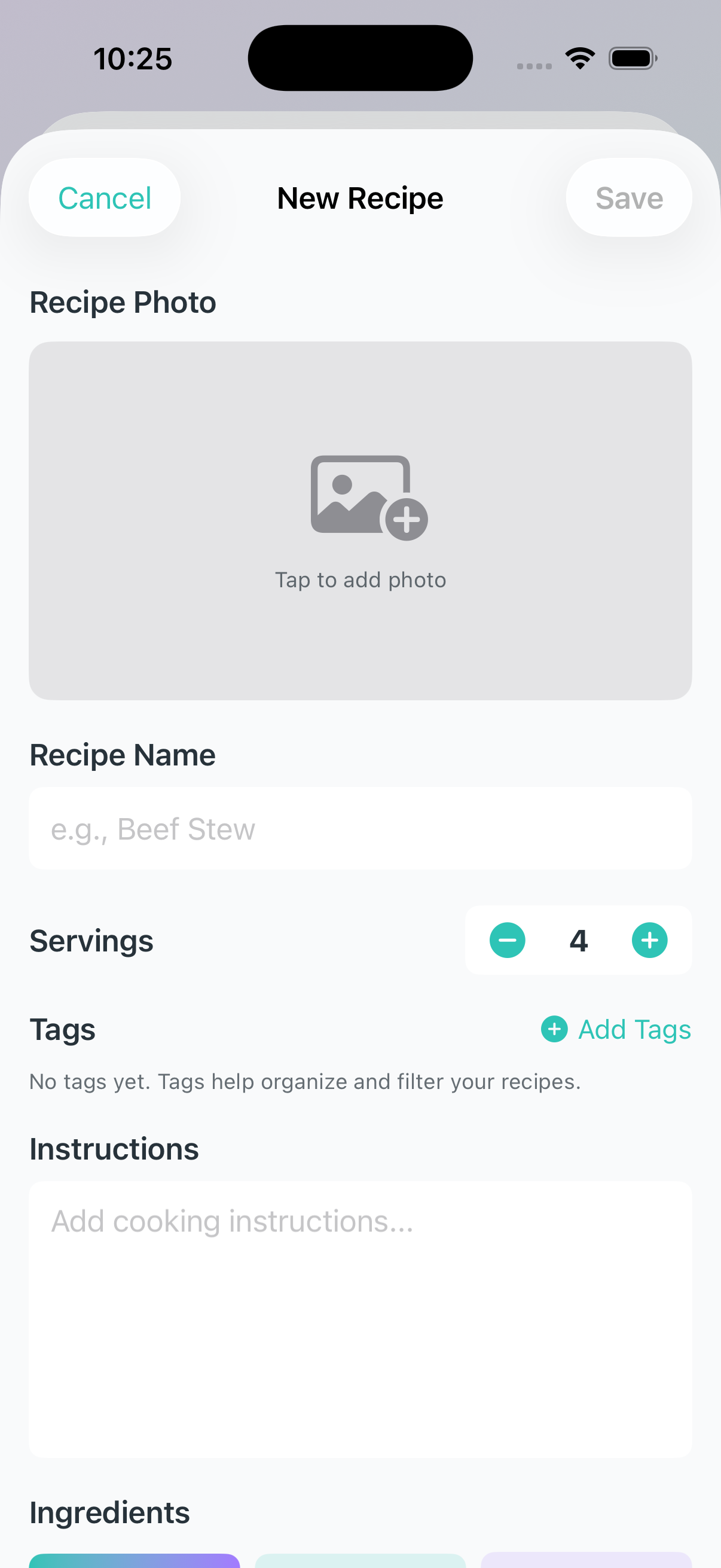
NourAIsh offers three ways to add ingredients to your recipe:
After adding your ingredients, you'll choose how to add nutrition data:
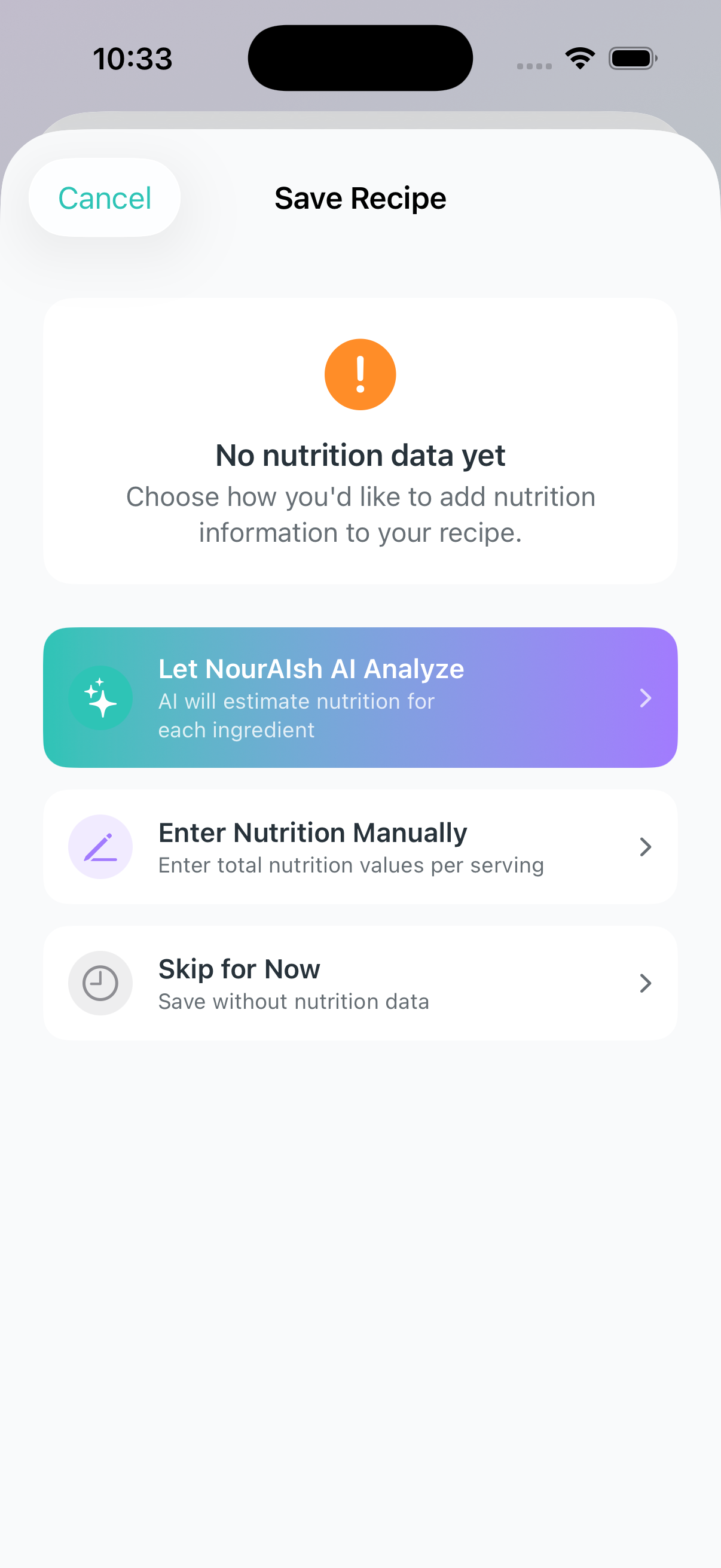
AI Analysis (Premium):
Manual Entry (Free):
Yes! To edit a recipe:
You can also add nutrition data to a recipe that was saved without it by using the "Add Nutrition" option in the recipe detail view.
To log a recipe:
The nutrition will be calculated based on the number of servings you log.
AI-analyzed nutrition values are estimates based on generic food data. Keep in mind:
Have more questions? Contact us at support@nouraish.com