NourAIsh makes it easy to create, import, edit, and share recipes while automatically tracking detailed nutrition information for your health goals.
Creating a Recipe
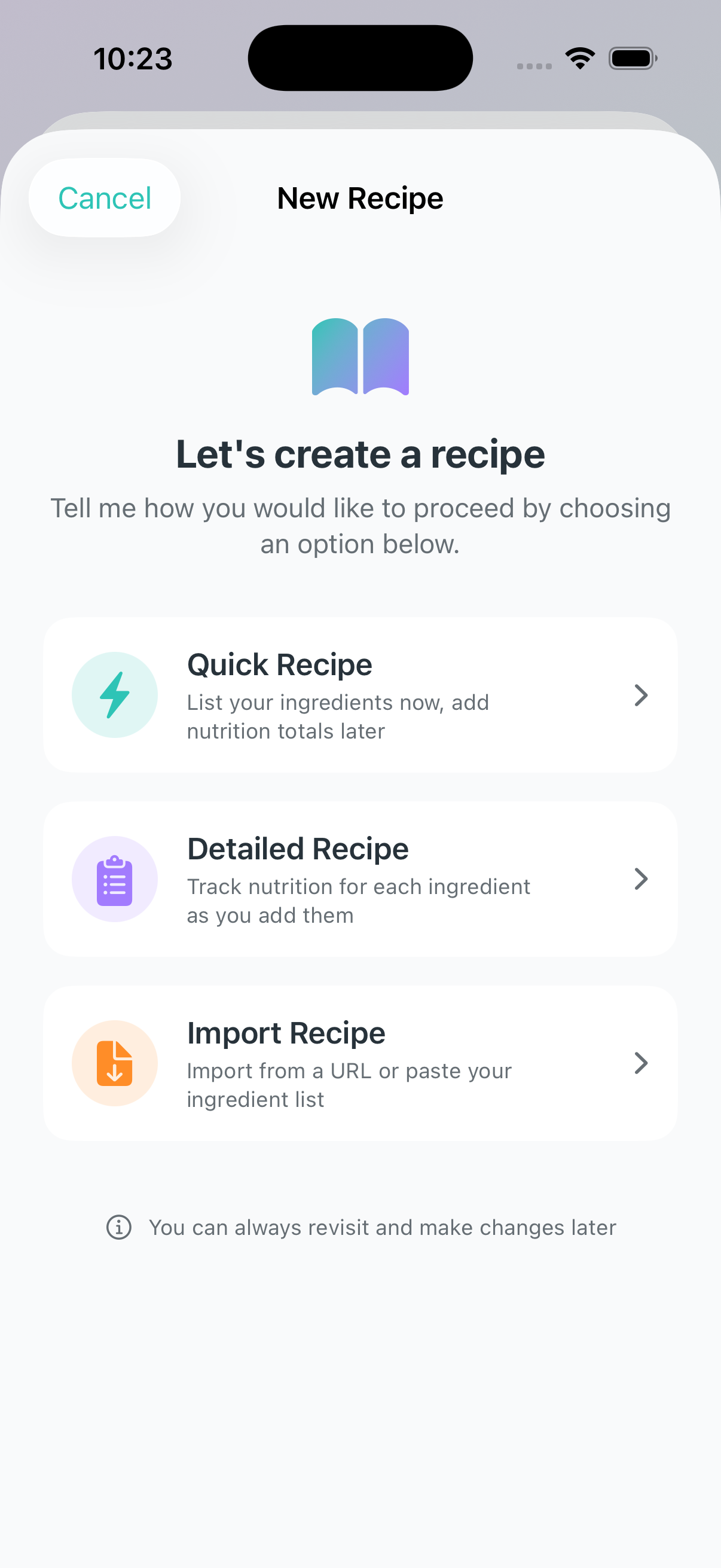
NourAIsh offers two ways to create recipes: Quick Recipe mode for fast entry, and Detailed Recipe mode for comprehensive nutrition tracking.
Getting Started
Navigate to the Recipes tab
Tap the + button in the top right corner
Choose your preferred creation method
Quick Recipe Mode
Quick Recipe mode is perfect when you want to capture a recipe now and add nutrition details later.
Select Quick Recipe from the welcome dialog
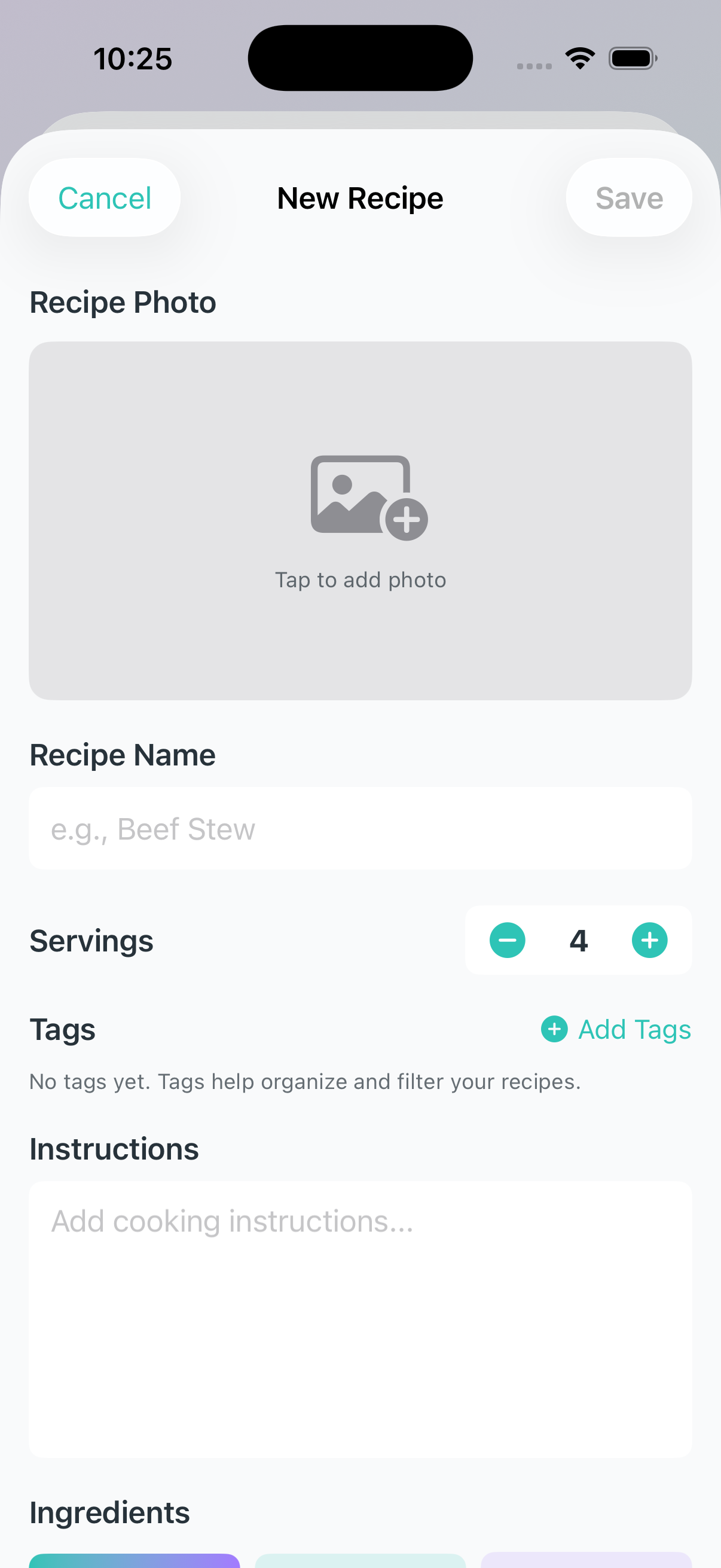
Enter your recipe name
Set the number of servings
Add a photo (optional) by tapping the camera icon
Add ingredients using one of three methods:
Type - Manually enter each ingredient
Scan - Scan a barcode or nutrition label (Premium)
Paste - Bulk paste an ingredient list
Add cooking instructions (optional)
Add tags for organization (optional)
Tap Save
Detailed Recipe Mode
Detailed Recipe mode is ideal when you want to track nutrition for each ingredient as you build your recipe.
Select Detailed Recipe from the welcome dialog
Enter your recipe name and servings
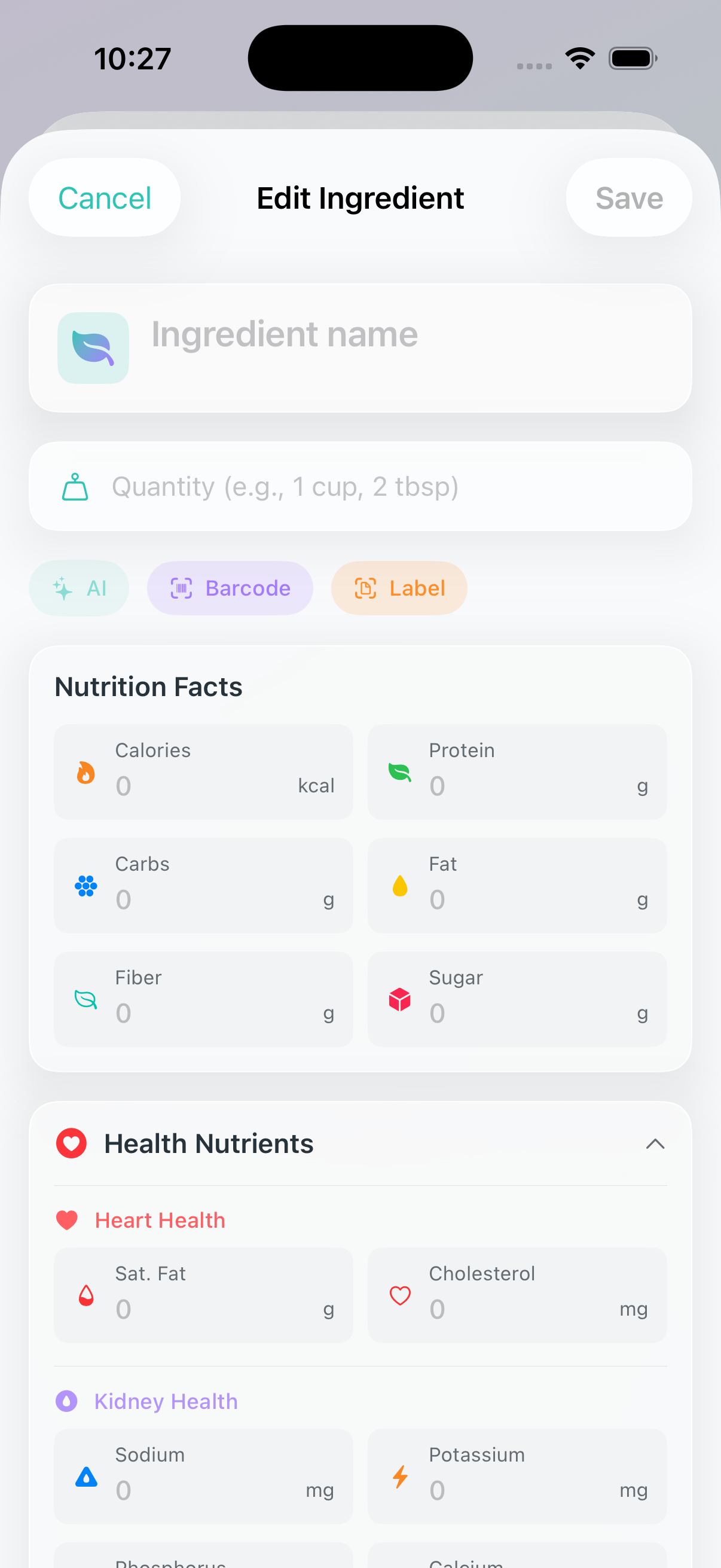
Add each ingredient and its nutrition:
Use NourAIsh AI to automatically estimate nutrition (Premium)
Scan a barcode for packaged ingredients (Premium)
Scan a nutrition label with your camera (Premium)
Choose from suggestions based on your previous recipes
Enter nutrition manually
Add instructions and tags
Tap Save
Adding Ingredients by Pasting
The bulk paste feature makes it easy to add multiple ingredients at once from another source.
In the Recipe Builder, tap Paste
Paste your ingredient list (one ingredient per line)
Choose an action:
Just Add - Parse ingredients without nutrition data (free)
NourAIsh AI - Analyze nutrition for each ingredient (Premium)
Review and edit the parsed ingredients
Tap Add Ingredients
Supported Formats:
1 cup diced onion
2 lbs beef stew meat
3 medium carrots, chopped
Bulleted or numbered lists are automatically cleaned
Saving Your Recipe
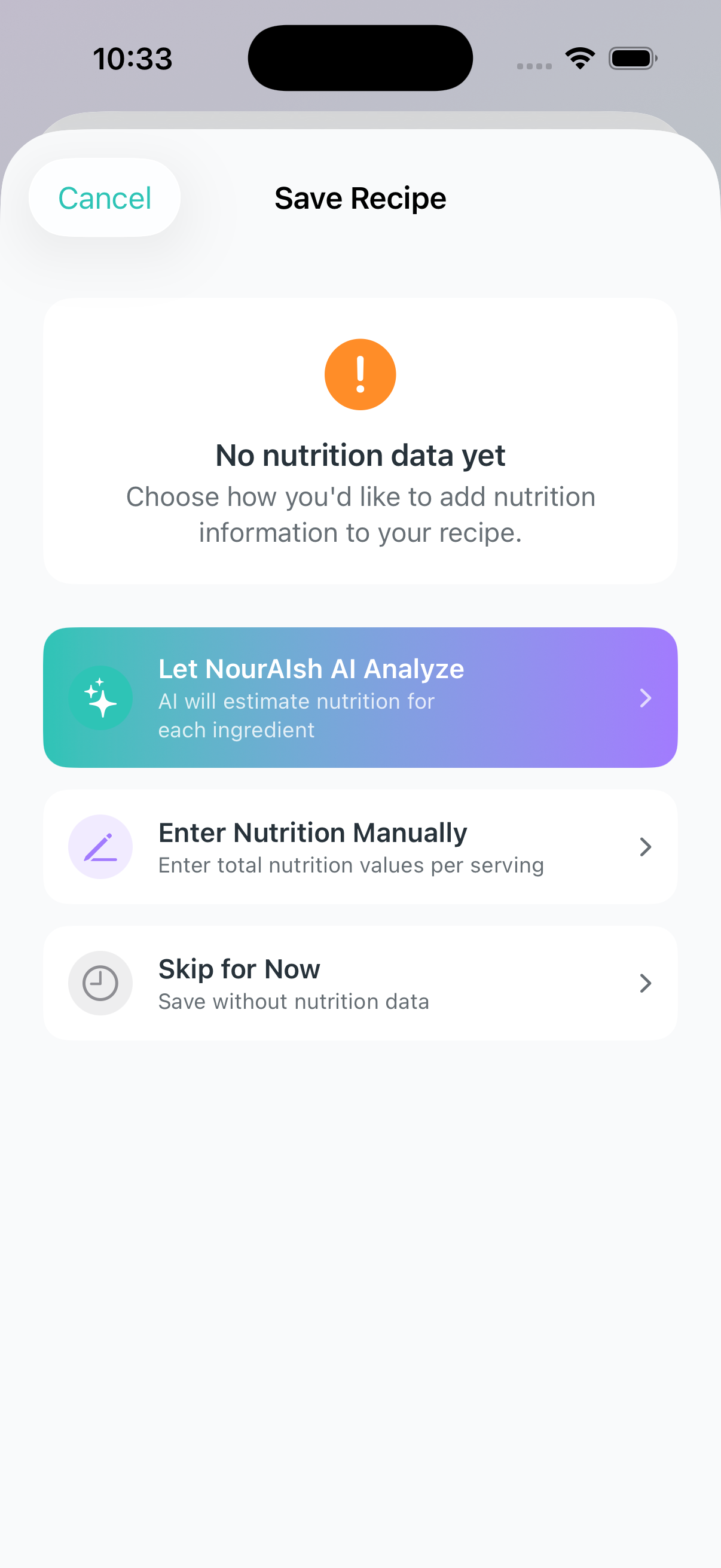
When you save a new recipe, NourAIsh guides you through nutrition options based on your ingredients:
If all ingredients have nutrition data:
Your recipe is saved and nutrition is calculated automatically
If some or no ingredients have nutrition:
Let NourAIsh AI Analyze - AI estimates nutrition for missing ingredients (Premium)
Enter Nutrition Manually - Enter the total nutrition per serving yourself
Skip for Now - Save without nutrition and add it later
Importing a Recipe
NourAIsh supports importing recipes from popular recipe websites or from shared .nouralsh files.
Import from URL
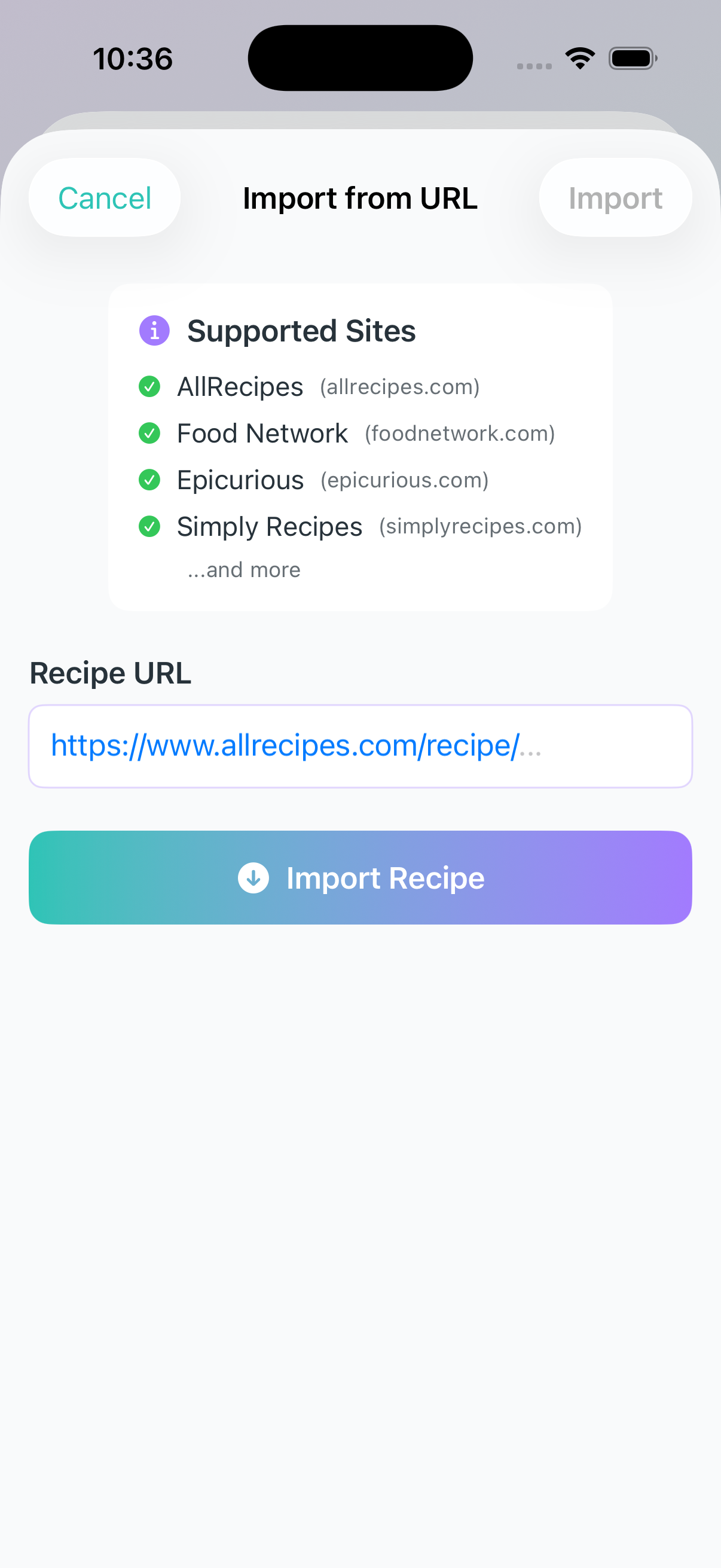
Import recipes directly from your favorite cooking websites.
Supported Websites:
AllRecipesFood NetworkEpicuriousSimply RecipesTaste of HomeBon AppetitSerious EatsCookie and KateFood.comDelish
And many more using standard recipe formats.
Navigate to the Recipes tab
Tap the + button
Select Import Recipe then Import from URL
Paste the recipe URL
Tap Import
Wait while NourAIsh fetches and parses the recipe
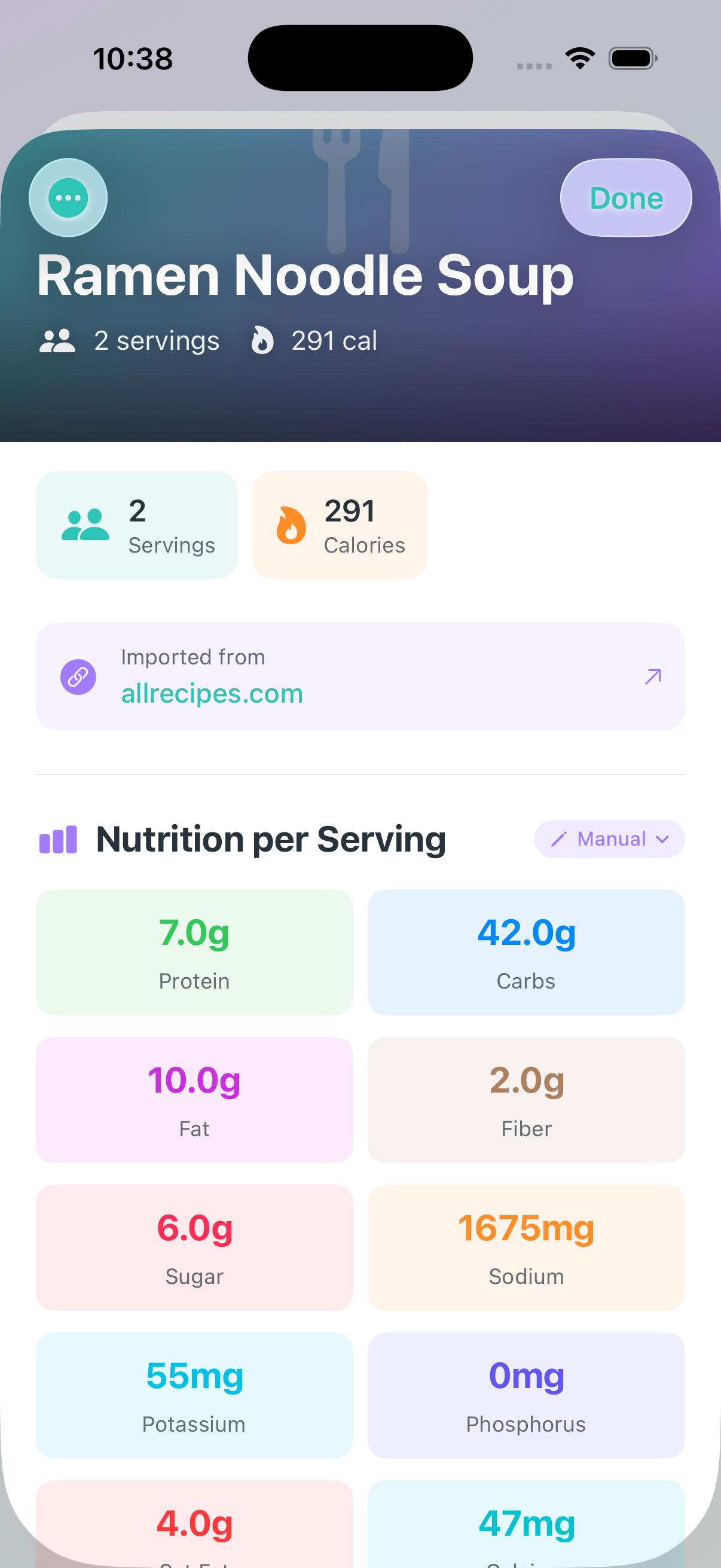
Review the imported recipe in the editor
Make any adjustments and tap Save
What Gets Imported:
Recipe name
Servings
Ingredients with quantities
Cooking instructions
Nutrition data (if available on the website)
Source attribution (link back to original)
Import from Shared File
Receive recipes shared by friends and family using the .nouralsh file format.
Receive a .nouralsh file via AirDrop, Messages, Email, or other sharing method
Tap the file to open it in NourAIsh
Preview the recipe details:
Photo
Nutrition per serving
Ingredients
Instructions
Tap Add to My Recipes
Editing a Recipe
You can edit any recipe in your collection at any time.
Editing Recipe Details
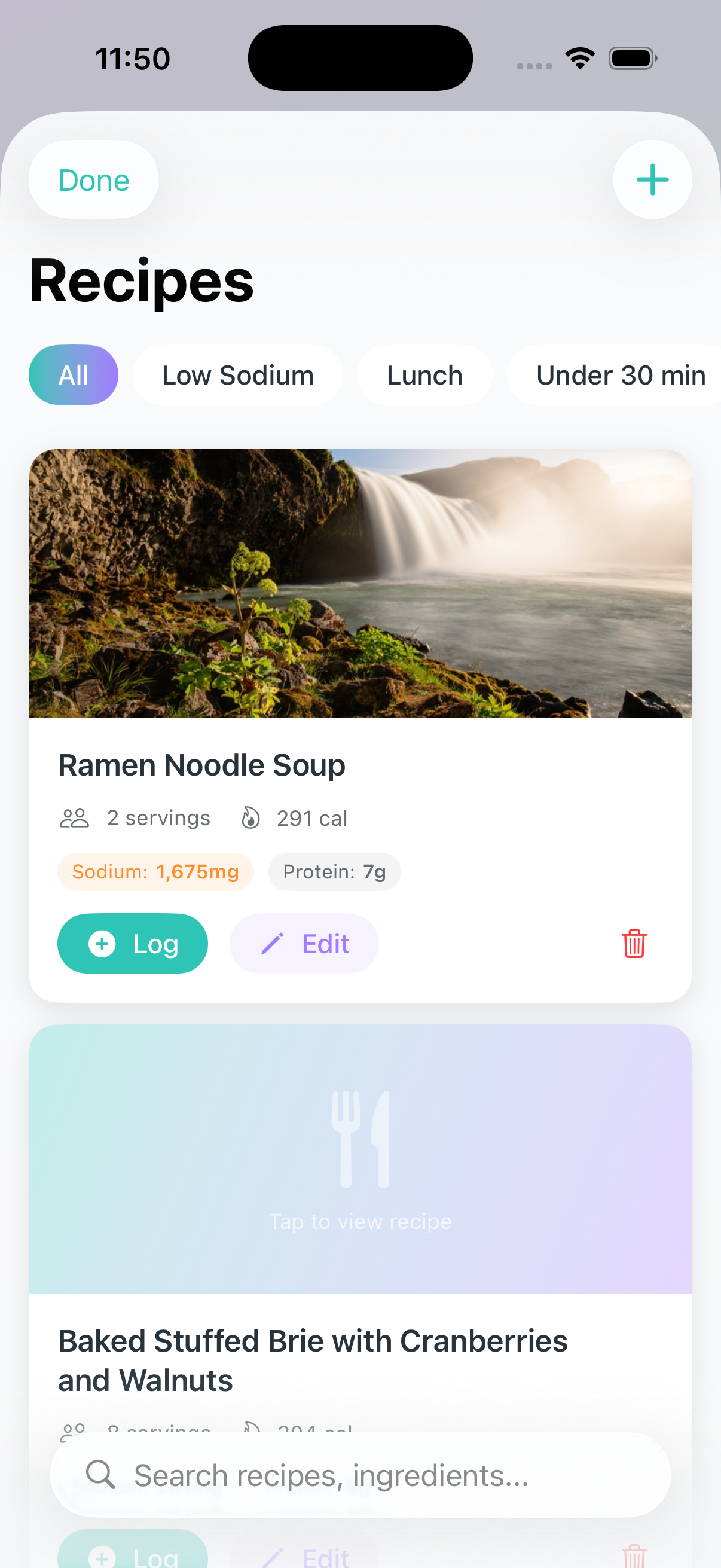
Navigate to the Recipes tab
Find your recipe and tap Edit
Make your changes:
Update the recipe name
Adjust servings
Add or change the photo
Edit instructions
Manage tags
Tap Save
Editing Ingredients
To edit an existing ingredient:
Tap on the ingredient in the recipe builder
Update the quantity or name
Modify nutrition data if needed
Tap Done
To delete an ingredient:
Tap the - button next to the ingredient
Recipe Tags
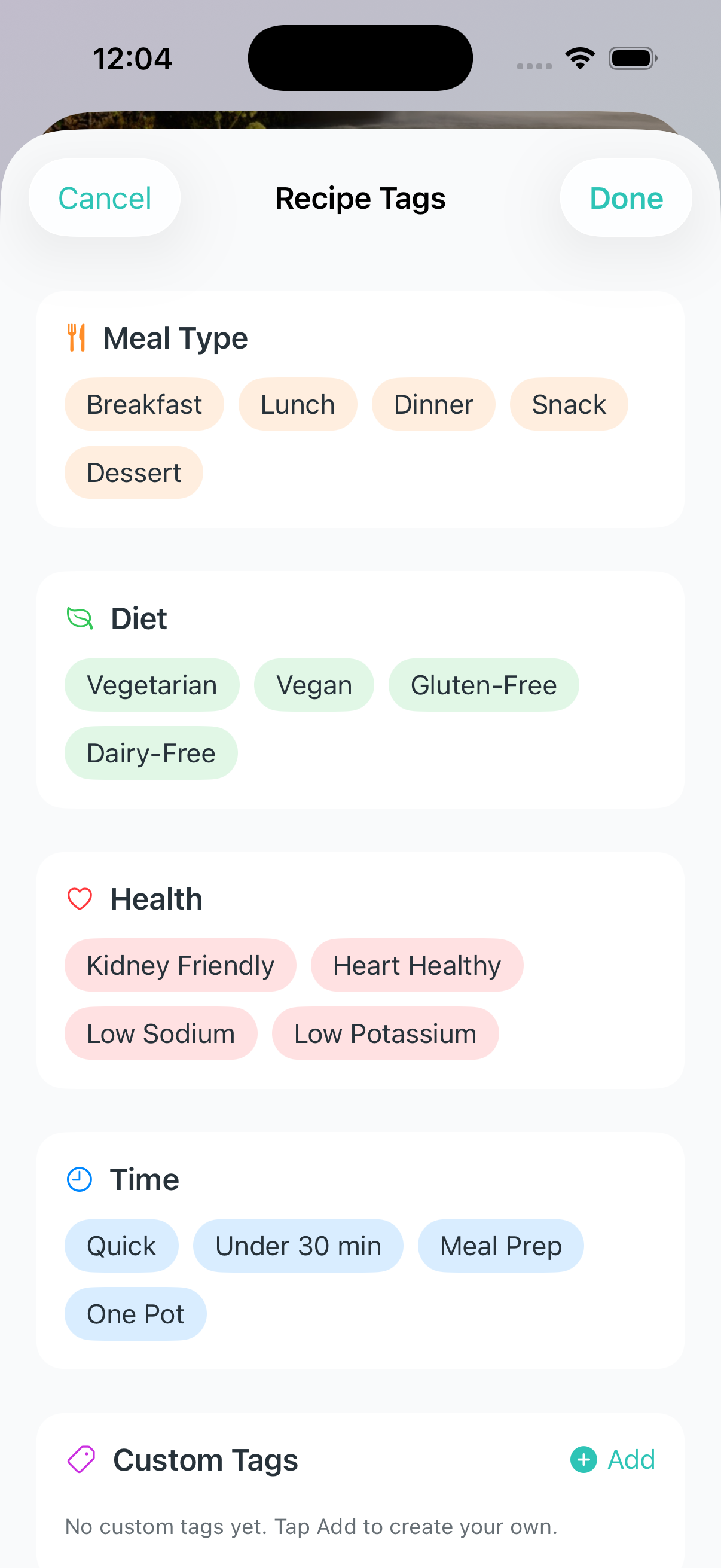
Tags help you organize and filter your recipes. Tap the Tags field in the recipe builder to add tags.
Built-in Tag Categories:
Meal Type - Breakfast, Lunch, Dinner, Snack, Dessert
Diet - Vegetarian, Vegan, Gluten-Free, Dairy-Free
Health - Kidney Friendly, Heart Healthy, Low Sodium, Low Potassium
Time - Quick, Under 30 min, Meal Prep, One Pot
Custom Tags:
Create your own tags by tapping Add in the Custom Tags section. Custom tags are great for personal organization like "Family Favorites" or "Holiday Recipes".
Editing Ingredient Nutrition
For each ingredient, you can add or update nutrition using multiple methods:
NourAIsh AI Analysis (Premium)
Tap the AI icon to have NourAIsh AI estimate nutrition based on the ingredient name and quantity
Barcode Scanning (Premium)
Tap Scan Barcode to scan a product
Adjust the serving size using quick buttons (15g, 28g, 30g, 50g, 100g, etc.)
Set the number of servings used in your recipe
Nutrition Label Scanning (Premium)
Tap Scan Label to photograph a nutrition facts panel
NourAIsh extracts the values automatically
Specify the amount used in your recipe
Suggestions
NourAIsh shows previously used ingredients with matching names
Tap to copy nutrition data from a past ingredient
Manual Entry
Enter nutrition values directly
Main nutrients: Calories, Protein, Carbs, Fat, Fiber, Sugar
Health nutrients (expandable): Sodium, Potassium, Phosphorus, Cholesterol, and more
Updating Recipe Nutrition
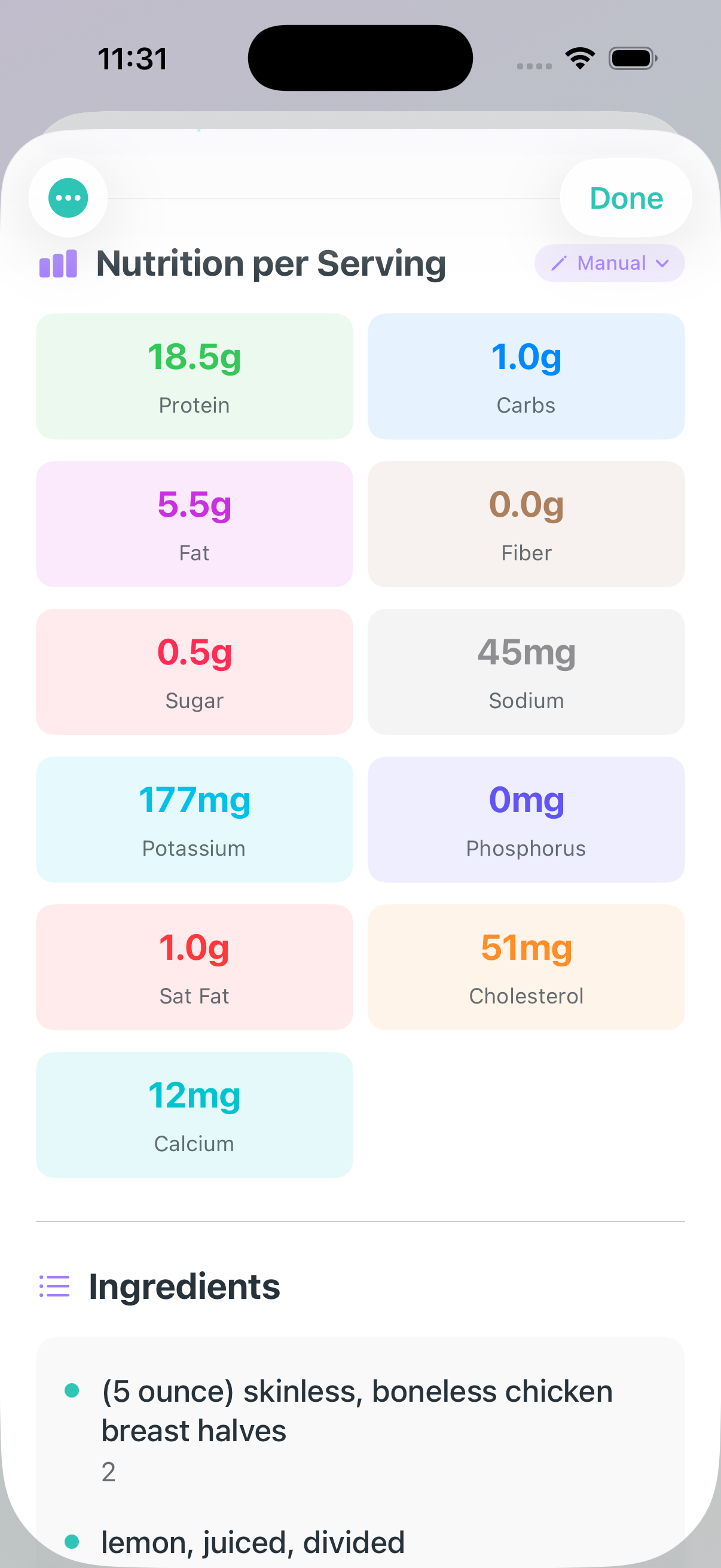
You can change how a recipe's nutrition is calculated at any time. This is referring to the nutrition per serving for the recipe.
Open the recipe detail view
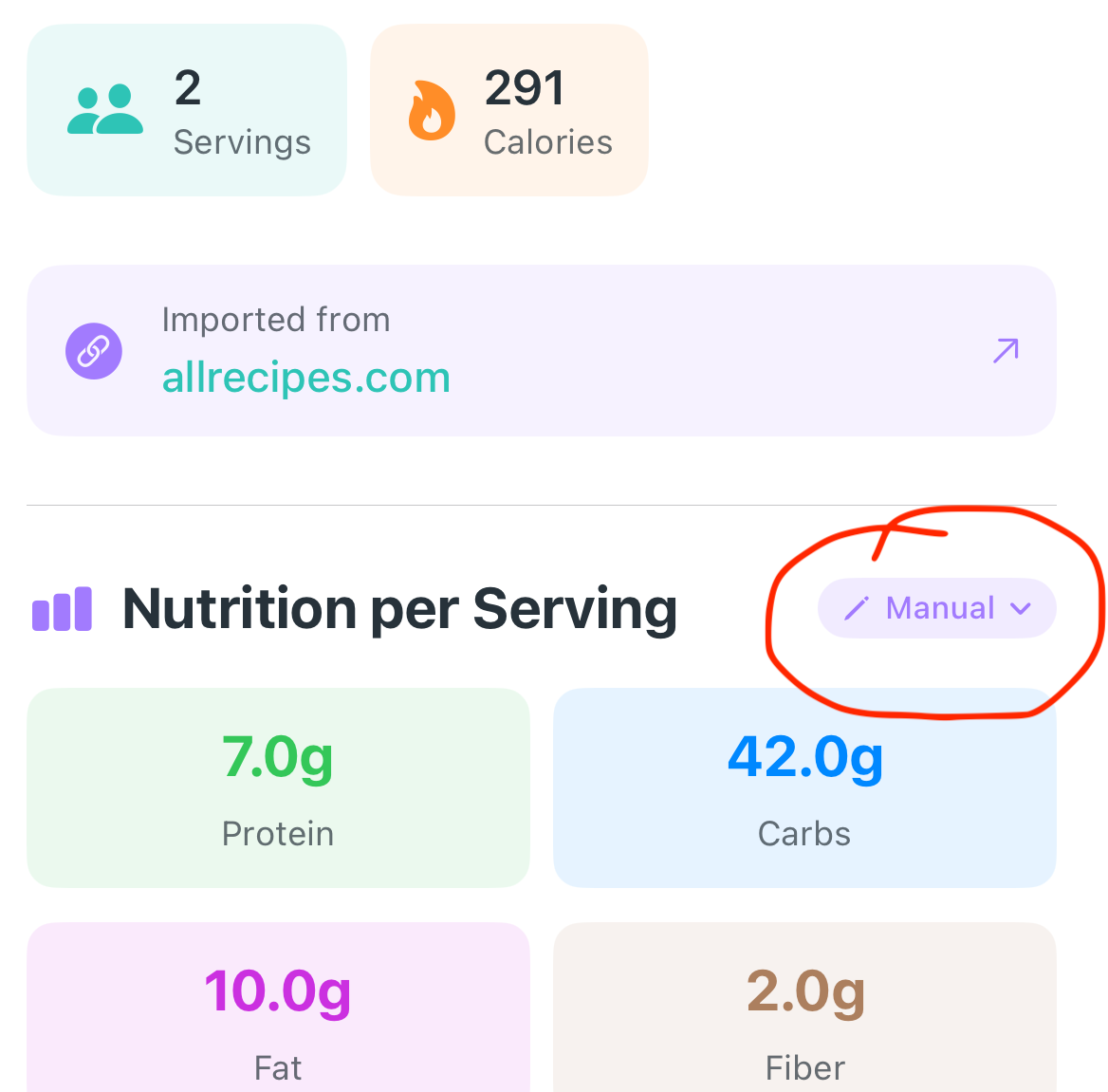
Find the Nutrition Source badge
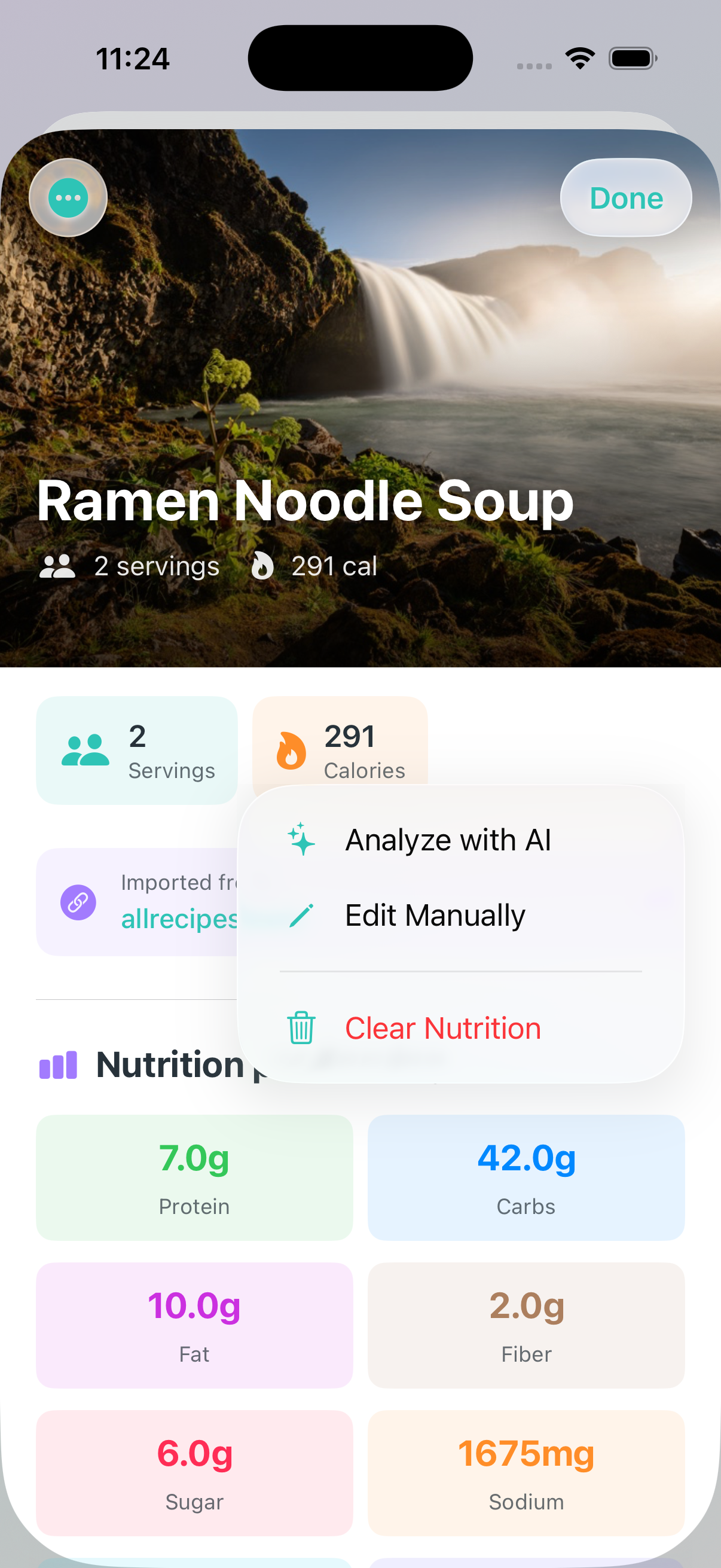
Tap to reveal options:
Re-analyze with NourAIsh AI - Have AI re-estimate all ingredient nutrition (Premium)
Enter Manually - Input total per-serving nutrition yourself
Clear Nutrition - Remove all nutrition data
Sharing & Exporting Recipes
Share your recipes with friends, family, or export them for your records.
Share as NourAIsh File
Create a shareable .nouralsh file that includes all recipe details and nutrition data.
Open the recipe you want to share
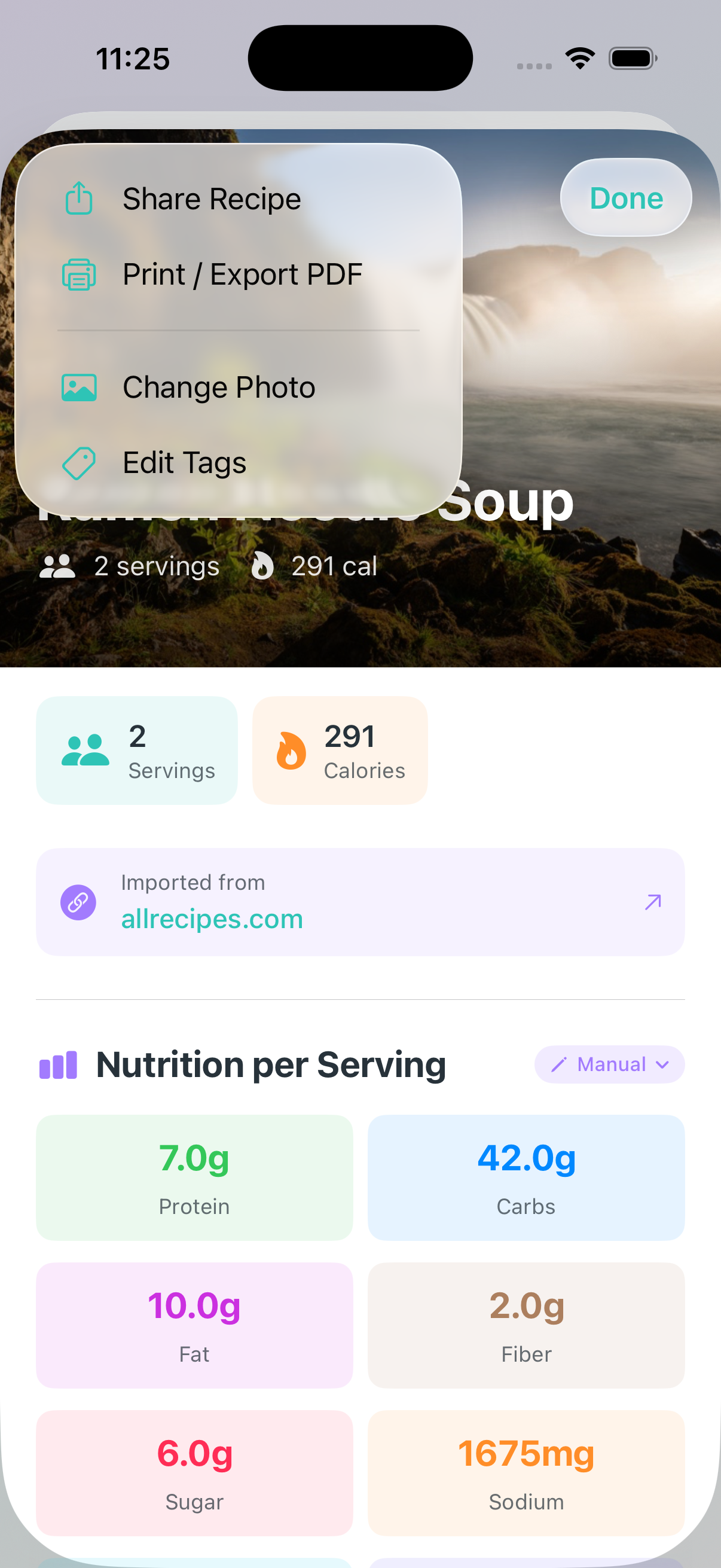
Tap the menu icon (...) in the top right
Select Share Recipe
Choose how to share:
AirDrop
Messages
Email
Save to Files
Or any other sharing option
What's Included:
Recipe photo (optimized for sharing)
All ingredients with nutrition data
Complete cooking instructions
Tags and metadata
Nutrition calculation method
Recipients can open the .nouralsh file in their NourAIsh app to add the recipe to their collection.
Export to PDF
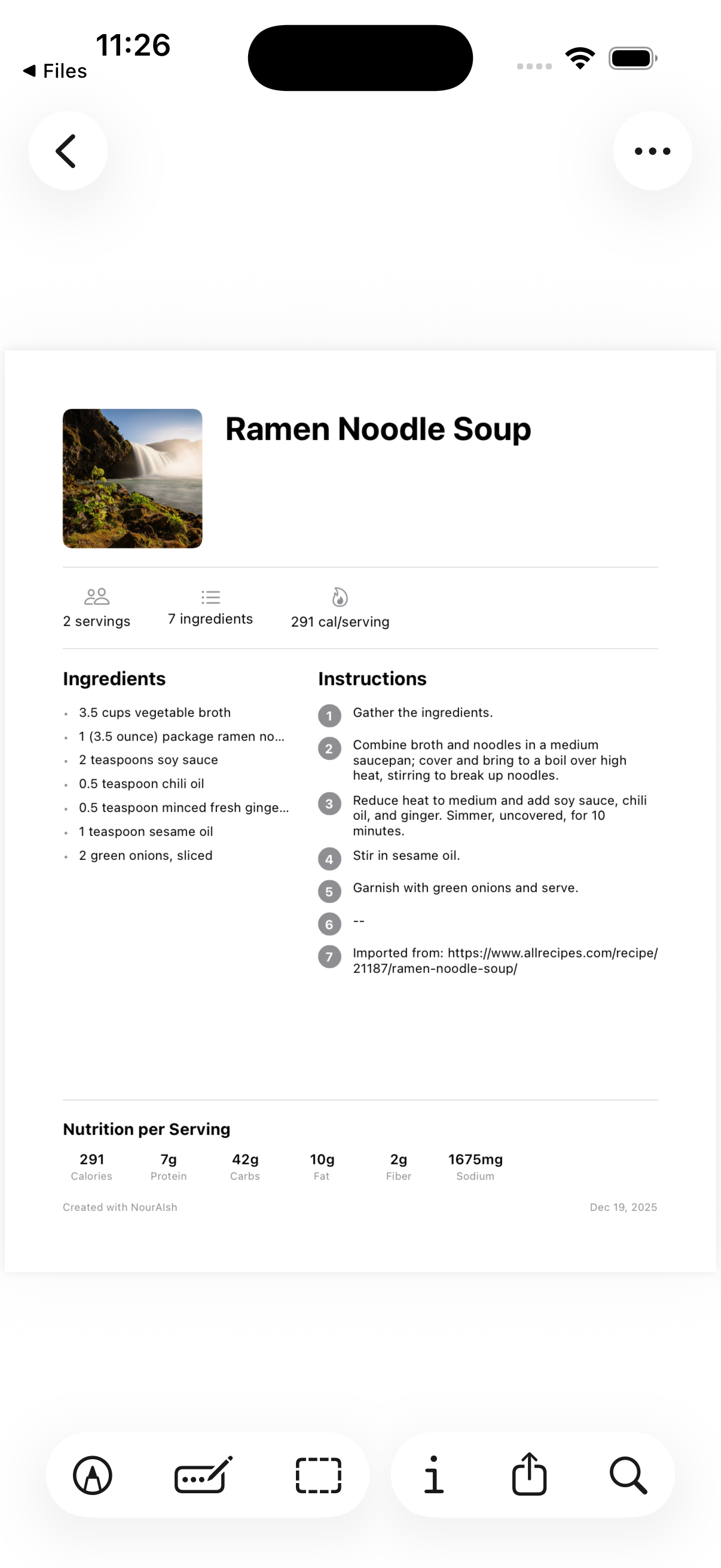
Create a printable PDF version of your recipe.
Open the recipe
Tap the menu icon (...)
Select Print / Export PDF
Print directly or save as PDF
PDF Contents:
Recipe photo
Recipe name and servings
Nutrition facts per serving
Ingredients list
Cooking instructions
Source attribution (for imported recipes)
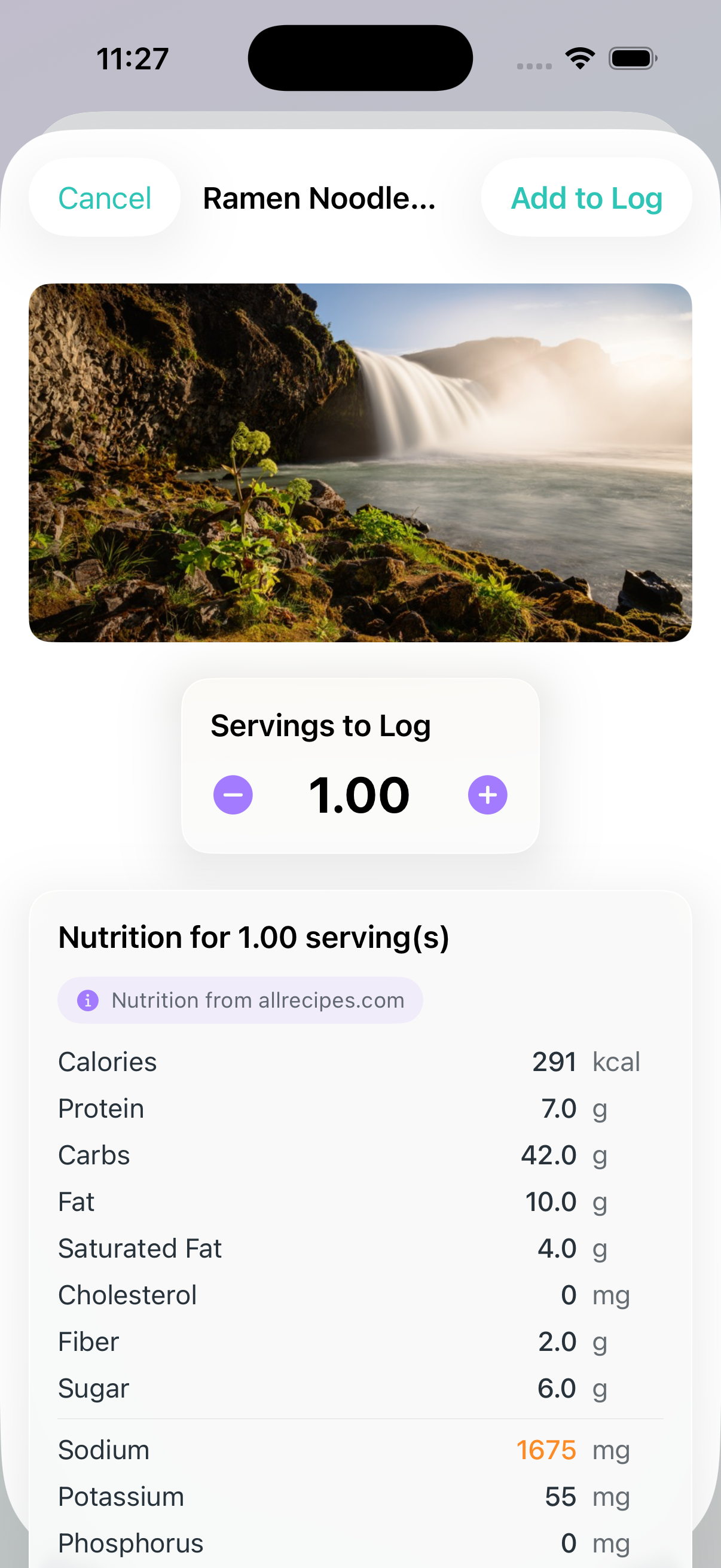
Logging Recipes
Track when you make and eat your recipes by logging them to your History.
Navigate to the Recipes tab
Find your recipe and tap Log
Adjust the number of servings you're eating
Select the meal type (breakfast, lunch, dinner, or snack)
Tap Add to Log
Features:
Live nutrition preview - See how nutrition changes as you adjust servings
Fractional servings - Log 0.25, 0.5, 1.5 servings, etc.
Smart meal detection - NourAIsh suggests a meal type based on the recipe name and time of day
Source tracking - Imported recipes show their original source
Recipe Nutrition Tracking
NourAIsh tracks 13 different nutrients to support your health goals, whether you're focused on general wellness, kidney health, or heart health.
Tracked Nutrients
Main Nutrients:
Calories
Protein
Carbohydrates
Fat
Fiber
Sugar
Heart Health:
Saturated Fat
Cholesterol
Kidney Health:
Sodium
Potassium
Phosphorus
Calcium
Other:
Caffeine
Fluid Volume
Nutrition Sources
NourAIsh tracks how nutrition was determined for each recipe:
Source
Description
NourAIsh AI
NourAIsh AI analyzed each ingredient
Summed
Calculated from ingredient nutrition (barcode/label scans)
Manual
You entered the per-serving totals
Not Set
No nutrition data yet
Ingredient Breakdown
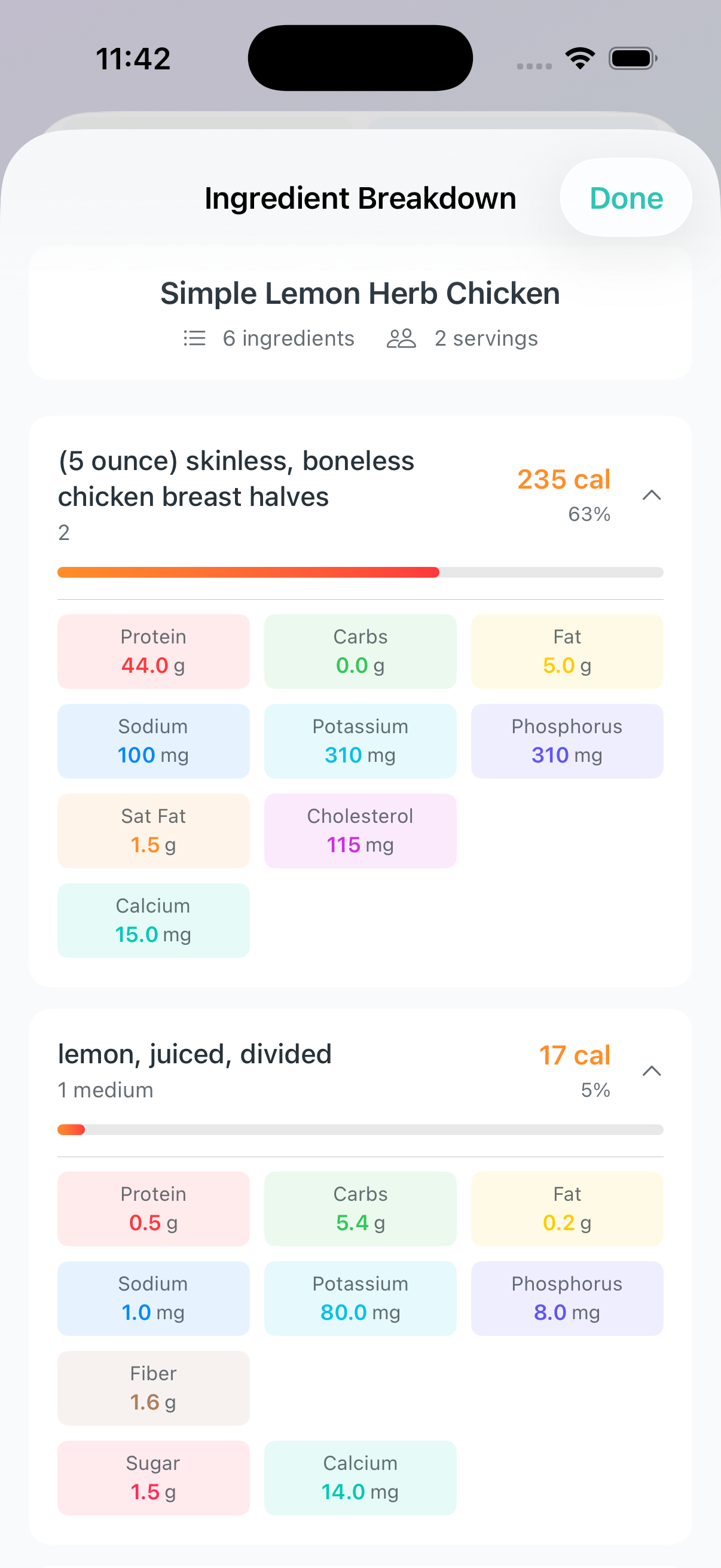
For recipes with per-ingredient nutrition data, you can see how each ingredient contributes to the total.
Open a recipe with AI or summed nutrition
Tap View Ingredient Breakdown
See each ingredient's contribution to total nutrition
Premium Features
Some recipe features require a NourAIsh Premium subscription:
Feature
Free
Premium
Create recipes manually
Yes
Yes
Import from URL
Yes
Yes
Import shared recipes
Yes
Yes
Log recipes
Yes
Yes
Share recipes
Yes
Yes
Export to PDF
Yes
Yes
NourAIsh AI ingredient analysis
-
Yes
Barcode scanning
-
Yes
Nutrition label scanning
-
Yes
Full nutrition editing
-
Yes
AI recipe insights
-
Yes
Note: Free users can still create comprehensive recipes and track nutrition using manual entry or by importing recipes that include nutrition data from websites.
Tips & Best Practices
For Accurate Nutrition
Use barcode scanning for packaged ingredients when possible
Be specific with quantities - "1 cup diced onion" is better than "onion"
Verify AI estimates - Check that AI-analyzed nutrition looks reasonable
Import from sites with nutrition - Many recipe sites include nutrition data
For Organization
Use tags to categorize recipes (e.g., "breakfast", "low-sodium", "quick")
Search and filter to find recipes quickly
Add photos to make recipes easier to recognize
For Sharing
Include instructions so recipients can make the recipe
Verify nutrition before sharing with health-conscious friends
Share via AirDrop for the fastest experience on iOS
Frequently Asked Questions
Can I import recipes from any website?
NourAIsh works best with popular recipe sites that use standard recipe formats. If a site doesn't import properly, you can copy and paste the ingredients using the bulk paste feature.
Why doesn't my imported recipe have nutrition data?
Not all recipe websites provide nutrition information. You can add nutrition by using NourAIsh AI analysis (Premium) or entering values manually.
Can I share recipes with someone who doesn't have NourAIsh?
Use the Print / Export PDF option to create a shareable PDF that anyone can view or print.
How do I update a recipe's nutrition after editing ingredients?
Tap the nutrition source badge in the recipe detail view and select "Re-analyze with NourAIsh AI" or update ingredients individually.
Can I log a partial serving of a recipe?
Yes! When logging, use the stepper to adjust servings in increments of 0.25.
Are AI nutrition values accurate?
AI-analyzed nutrition values are estimates based on generic food data. For the most accurate results, verify key ingredients against package labels, especially for items where nutrition varies significantly by brand.