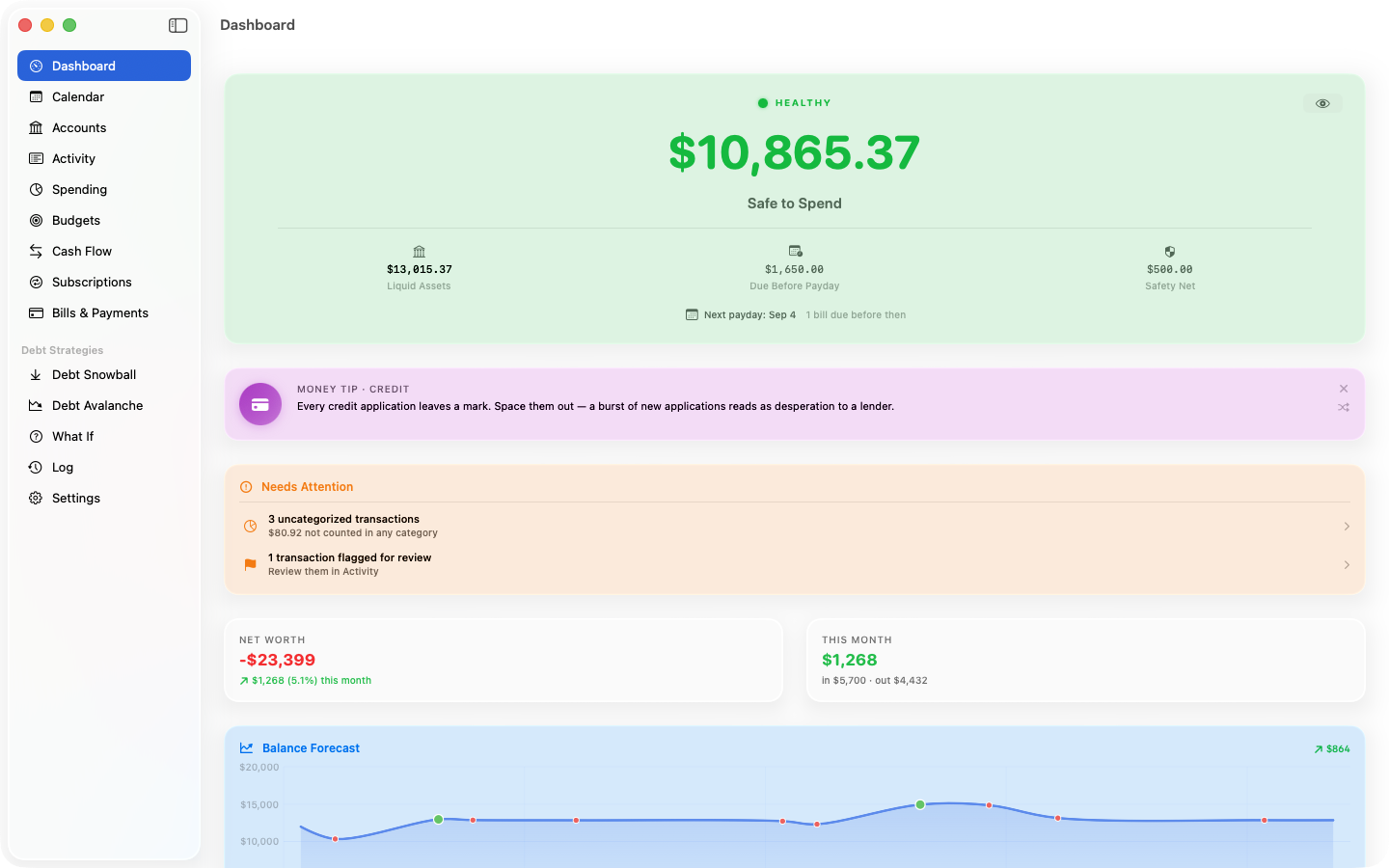
Safe to Spend
Your liquid cash, minus the bills due before your next payday, minus your safety net. One honest number, always current — on the Dashboard, in your menu bar, and on your home screen. Money that's technically liquid but already spoken for can be held out of it.
Paycheck-envelope budgets
Give each category an allowance that refills every payday. Envelopes can roll unspent money forward, so annual fees and car repairs build a fund instead of blowing a period. ClearPath can draft your envelopes from your real spending history, and charts each one against the periods behind it.
Bank-file import
Export CSV, QFX, or OFX from your bank and drop it in. Automatic categorization with rules you control, duplicate detection across formats, and no bank credentials — ever.
Paste a screenshot
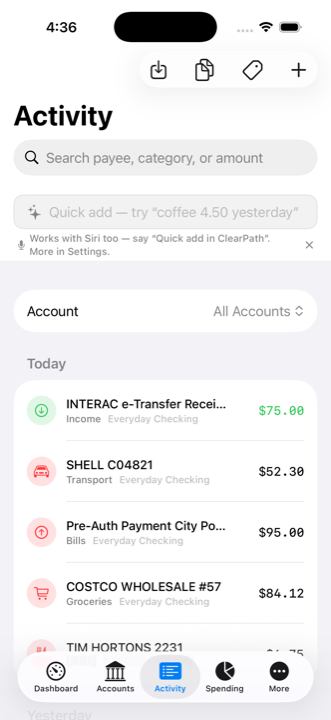
No export handy? Screenshot your banking app's transaction list, paste it in, and on-device text recognition turns it into a confirmation list — every row editable and checkable before anything is imported. No AI model, no network, nothing leaves the device.
Bill payments spotted at import
When an imported row looks like a payment on a bill or loan you track, ClearPath offers it for one-tap confirmation — splitting off the interest and knocking the principal off the balance. No more hand-editing a loan after every import.
Debt payoff plans
Snowball or avalanche, with payoff dates, interest saved, and a printable per-payday payment plan you can stick on the fridge.
The What If room
Model the big ones before you sign: a mortgage at its true ownership cost (CMHC premium, renewal shock, rent-vs-buy compared all-in), financing a car, an affordability solve, a rate stress test, and where a lump sum does the most good.
A money calendar
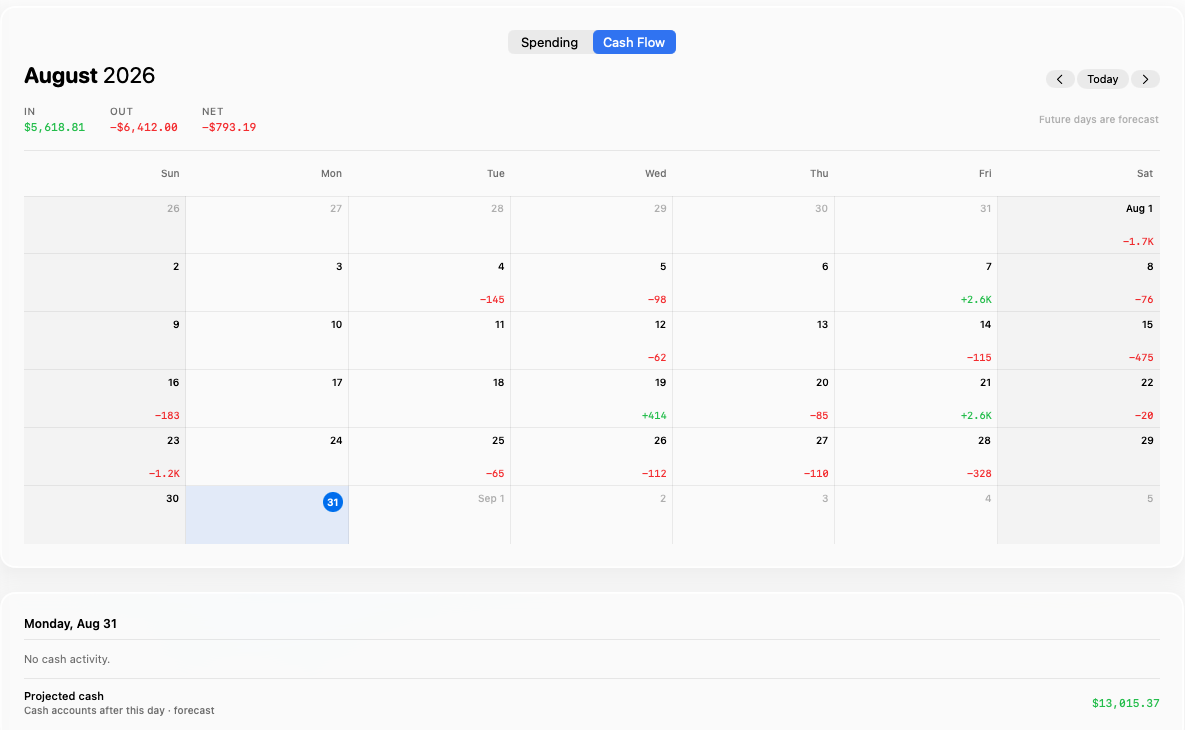
Two lenses on the month: what actually got charged each day, or money crossing your cash accounts — paydays in, bills and card payments out on their due dates. Pick any future day to see what's left once everything through it has landed.
Credit cards that plan themselves
Give a card its due day and statement day and forecasts bill the closed statement, not whatever you've spent since. Cards you clear in full every month set aside the whole bill; the rest reserve the minimum.
Quick add, everywhere
Type "coffee 4.50 yesterday" — done. Or say "Quick add in ClearPath" to Siri. Home-screen widgets show your number at a glance, with a discreet no-numbers option.
Insights that watch your back
Bill-spike alerts, possible double charges, subscription price-creep detection, and paycheck report cards. A Needs Attention card surfaces what's actually fixable — uncategorized spending, flagged rows, duplicate pairs, an overdue backup — and each tap lands on the fix.
Flags and notes
Flag anything for a second look and write yourself a note — "split with partner", "ask the bank". Both are searchable, both sync, both survive a backup and a CSV export. Select a batch of rows to categorize or delete in one go.
The Log
Every change your transaction list can't show: balance edits and true-ups, loan balances with the interest/principal split, bills marked paid, pay-cycle rolls, imports. "Why is this number what it is?" finally has an answer you can read.
The whole picture
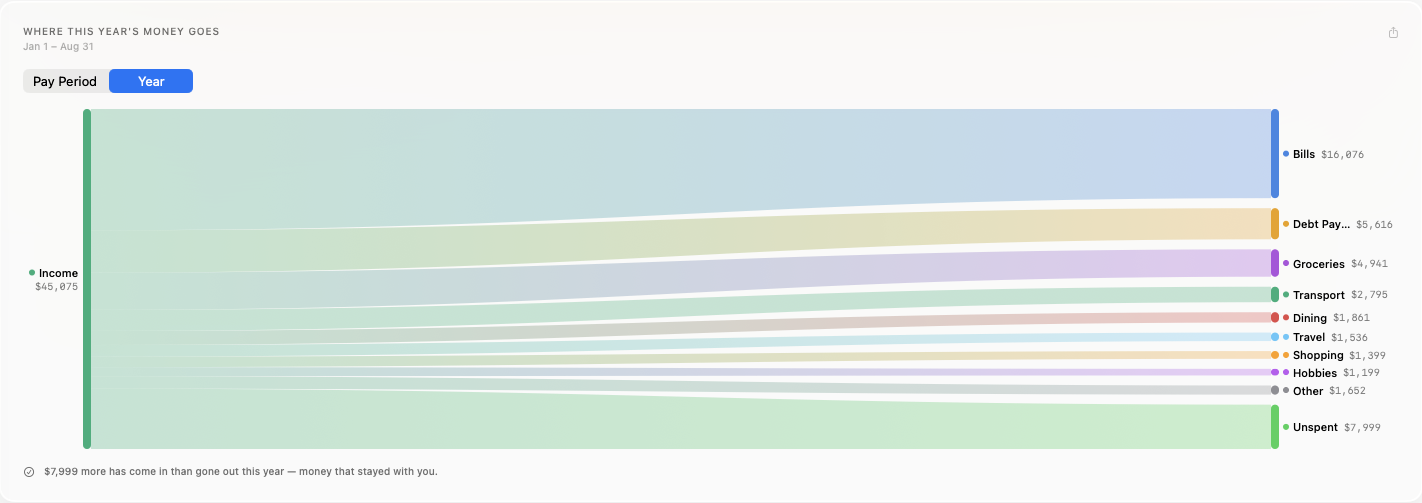
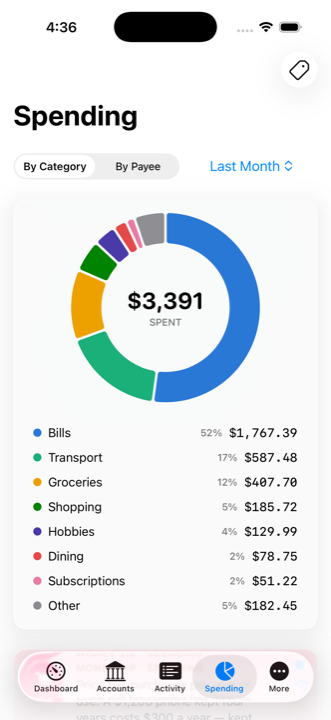
Net worth over time, cash flow by pay period or year to date, and spending by category — the classic views, minus the tax-prep bloat you'll never use.
Multi-currency accounts and bills
Hold accounts — and bills — in any of 31 currencies. Balances show in their own currency; totals convert at daily ECB rates, with manual rates for offline purists.